IT

IT news, tips, and tutorials for tech enthusiasts and professionals — from networking and security to the tools that keep everything running smoothly.

Windows 11 issue: „Taskbar not displaying properly on some devices“

Windows 11 issue: "Taskbar not displaying properly on some devices"

Windows 11 Taskbar Not Displaying Properly: Step-by-Step Troubleshooting Windows 11 Taskbar Not Displaying Properly: Step-by-Step Troubleshooting Is your Windows 11 taskbar missing, misaligned, or behaving strangely on certain devices? In this guide, we’ll walk through a systematic approach to diagnose…

Windows 11 Taskbar not hiding in fullscreen mode

Windows 11 Taskbar not hiding in fullscreen mode

How to Fix Windows 11 Taskbar Not Hiding in Fullscreen Mode Introduction If you’ve set your Windows 11 taskbar to auto-hide but it still shows up when you’re watching videos, playing games, or using any fullscreen application, it can be…

Windows 11 taskbar not showing icons properly

Windows 11 taskbar not showing icons properly

Troubleshooting Windows 11 Taskbar Icons Not Showing Properly By Your IT Expert | April 2024 Introduction ————- Windows 11’s sleek taskbar is central to your workflow. But when icons disappear, display incorrectly, or become unresponsive, it can seriously disrupt productivity.…

Event ID 153 from source nvlddmkm

I have been plagued by countless annoying random game crashes the past months with my pc with all pointing out to this error (from event viewer) when they occur: „The description for Event ID 153 from source nvlddmkm cannot be found. Either the component that raises this event is not installed on your local computer or the installation is corrupted. You can install or repair the component on the local computer. If the event originated on another computer, the display information had to be saved with the event. The following information was included with the event:  \Device\00000092 Reset TDR occurred on GPUID:100 The message resource is present but the message was not found in the message table“ Solution: You have to give…

Windows .dump debugging

If your windows is crashing, check out following steps 1. Install WinDbg 2. Open WinDbg as admin 3. File, Start debugging, open dump file 4. Navigate to windows/minidump/ 5. Open the l’as modefied file, that shoe has been created the…

Reinstall MSStore Win10

open PowerShell as Administrator Run following command: winget uninstall 9WZDNCRFJBMP Restart your computer After restart, start powershell as Administrator Run following command winget install 9WZDNCRFJBMP –source msstore If this did not help, try following isntructions: Microsoft Store Missing in Apps…

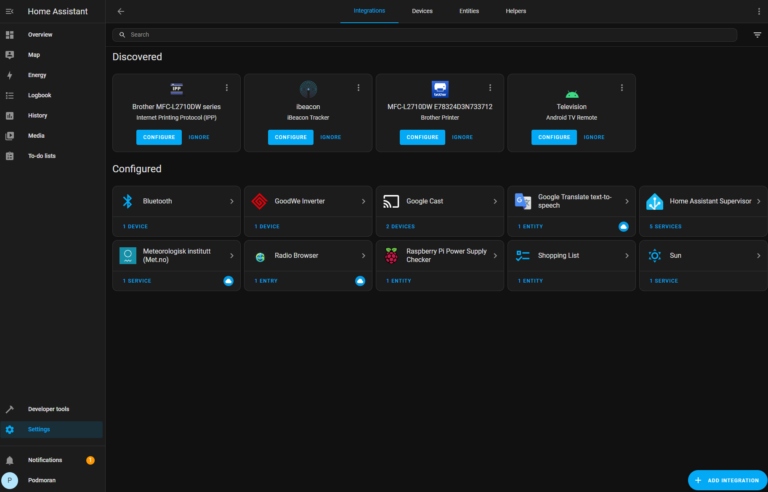
Home Assistant + GoodWe integration

WRITE THE IMAGE TO YOUR SD CARD START UP YOUR RASPBERRY PI ACCESS HOME ASSISTANT Within a few minutes after connecting the Raspberry Pi, you will be able to reach your new Home Assistant. Congratulations! You finished the Raspberry Pi…

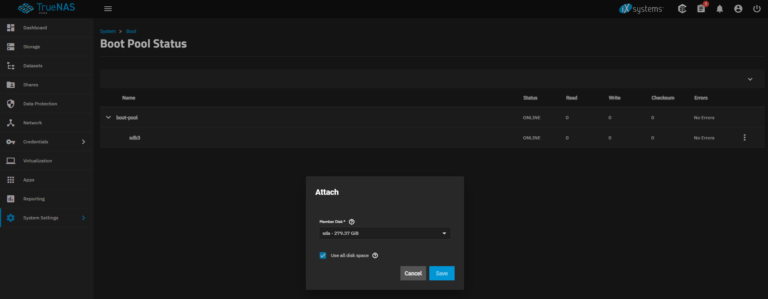
Mirroring the Boot Pool

Adding a second storage device to the boot pool changes the configuration to a Mirror. This allows one of the devices to fail and the system still boots. If one of the two devices were to fail, that device is easily…

Installin VMware 6.7 on old HP DL360 G7

First you need to create Disk group raid 0 using HP SSP USB drive Then create primary and secondary boot disk You might face error The filesystem found with same UUID To resolve this issue: After the system starts, use…

HP DL360 G7 Service Pack SPP 7.x

If you can not find SPP for HP DL 360 G7 server in order to upgrade BIOS, you can check below links or search for package name online … Installation: To update firmware from Windows operating system on target server:…